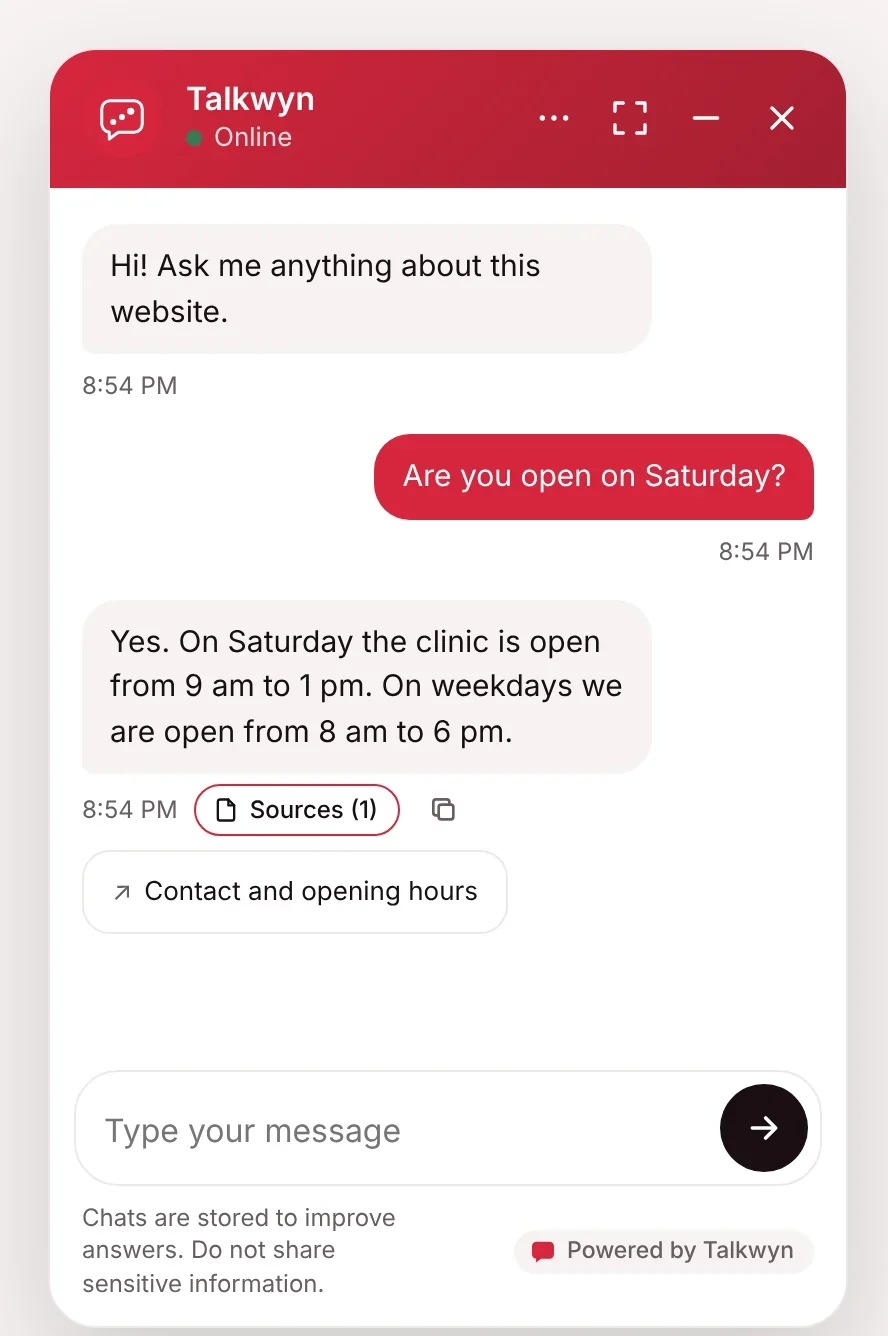
A chatbot for dental clinics answers the practical questions people ask before they pick up the phone or book online. Do you take my insurance? Are you open on Saturday? What happens at a first visit? This guide lists the questions patients tend to ask, what to publish so a chatbot can answer them, and where the chatbot should step aside for your team.
Why patients ask before they book
Choosing a dentist is a personal decision. People want to know they will be welcome, that the visit fits their schedule and budget, and that nobody will surprise them with a bill. Many of them check your website at night or during a work break, when your front desk is closed or busy with patients in the chair.
If they cannot find a clear answer quickly, they often move on to the next clinic in their search results. A chatbot on your clinic website gives them a way to ask a quick question and get an answer from your own pages, at any hour. Your team then spends phone time on bookings and patient care instead of repeating opening hours.
Questions a chatbot for dental clinics should answer
Look at the calls and emails your front desk handles. For most practices, the routine questions fall into a few groups:
Hours, location and access
- Are you open on weekends or in the evening?
- Where do I park, and is there step-free access?
- Which entrance do I use, and what floor are you on?
Insurance, payment and costs
- Do you accept my insurance plan?
- Do you offer payment plans?
- How much is a checkup or a cleaning for a new patient?
First visits and services
- Are you taking new patients?
- What should I bring to my first appointment?
- Do you see children? Do you offer whitening or clear aligners?
- What should I do if I have a dental emergency outside your hours?
Every one of these can be answered from a well written page. The chatbot can only give the answer if that page exists, so the next step is to check your site.
What to publish on your clinic website
A website chatbot reads what you have published. Clear pages lead to clear answers. Before launch, make sure your site covers these points in plain sentences:
- Opening hours, including holidays and any days with shorter hours.
- Insurance plans you accept, and what a patient should do if theirs is not listed.
- Prices or price ranges for common visits, if you are comfortable publishing them. If you are not, say that costs are confirmed after an exam and explain how to ask for an estimate.
- New patient information: what to bring, forms to fill in, and how long the first visit takes.
- A list of services, with one short page or section per service.
- Emergency instructions: who to call during and after hours. Keep this text short and direct.
- Cancellation rules, written as one clear policy.
Talkwyn never invents a price or a policy. If your site does not mention a fee, it will say it does not know and offer to put the patient in touch with your team. That is the safe behavior for a clinic, but it means gaps in your pages show up as “I don’t know” answers. Our guide on writing pages your chatbot can answer shows how to fill those gaps.
Where the chatbot should hand over to your team
A good clinic chatbot knows its limits. Some questions belong with a dentist or with your front desk, and the chatbot should send them there:
- Questions about symptoms, pain, or whether a treatment is right for someone.
- Anything about a specific patient’s records, bills, or past treatment.
- Urgent problems. Your emergency page should give a phone number, and the chatbot can point to it.
- Complaints or sensitive conversations that need a person.
Write your pages with this in mind. A sentence such as “For questions about pain or symptoms, please call us so a member of our team can help” gives the chatbot a clear, safe answer to share. When a visitor wants a call back, the chatbot can offer a short form inside the chat, after asking first.
Turning questions into booked appointments
Many dental questions are really booking questions in disguise. “Do you have anything Thursday?” or “Can I bring my son too?” means the visitor is ready to act. Talkwyn detects booking intent in many languages, such as “can I book?” or “call me”, and asks if the visitor wants to leave their details.
- The visitor asks a question that shows they want an appointment.
- The chatbot answers from your pages, then asks if they would like the clinic to contact them.
- If they agree, a short form appears inside the chat.
- The lead is saved in WordPress and emailed to you right away.
- Your front desk calls or emails back to confirm a time.
The chatbot does not book the appointment itself. Your team still confirms it, which keeps your calendar under your control. Leads can be exported as CSV if you want to keep a simple record. More on this on the lead generation features page.
Patients who speak other languages
Many practices serve families who are more comfortable in another language. Talkwyn detects the language of each message and replies in the same language, even when your website is only in English. Names, prices, emails and product names stay exactly as written. If you see a lot of Spanish speaking patients, the Spanish chatbot page shows how that works, and the multilingual chatbot page covers the other languages.
Language quality depends on the AI model you choose, so ask a bilingual team member to test a few common questions before you rely on it.
Privacy and setup for a clinic site
Clinics are careful about privacy, and they should be. With Talkwyn, only public, published content is indexed. Drafts, user accounts and passwords are never read. Chats and leads stay in your own WordPress database, and messages go only to the AI provider you picked. You can turn chat logs off or auto-delete them after a set number of days, and there is a built-in privacy notice.
Ask patients not to share health details in the chat, and say so in your welcome message or privacy notice. Our website chatbot privacy checklist walks through the settings to review.
Setup on WordPress takes about five minutes: install the plugin, paste a free AI key, click “Scan my site”, pick your color, avatar and welcome message, and turn it on. The getting started guide covers each step, and the healthcare chatbot page has more ideas for practices and clinics.
Chatbot for dental clinics FAQ
Will the chatbot give dental advice?
It should not. Talkwyn answers business questions from your published pages, such as hours, services and insurance. Write your pages so questions about symptoms or treatment are sent to your team.
Can the chatbot book appointments?
It does not book directly. It detects booking intent, asks if the visitor wants to be contacted, and shows a short form. The lead is emailed to you so your team can confirm a time.
What if a patient asks about a price we have not published?
Talkwyn never invents a price. It says it does not know and offers to have your team follow up.
Where are patient chats stored?
Chats and leads stay in your own WordPress database. You can turn logs off or auto-delete them after a set number of days.
Does it work if our site is only in English?
Yes. It replies in the language each visitor writes in, using your English pages as the source. Test your key languages before launch.
How do I try this on my own site?
Install the free plan, or start a 15-day Pro trial, and test it with the questions your customers really ask. Install Talkwyn.
How long does setup take?
About five minutes. Install Talkwyn, paste a free AI key, click Scan my site, pick your color, avatar and welcome message, and turn it on. The setup guide walks through each step.
How does the free trial work?
You get every Pro feature for 15 days on one site. No credit card needed. When the trial ends, upgrade with the same key or keep the free plan. Start the trial.
What happens when the answer is not on my site?
Talkwyn says it could not find that and offers to have your team follow up. It answers business questions only from your own content, so it never invents a price or a policy.
Do I need to pay for AI?
Not to get started. Groq and Google Gemini offer free tiers, and on WordPress 7 Talkwyn can use the AI connection you already set up. Add more than one and Talkwyn switches automatically when one hits its limit. Pro adds OpenRouter, Cloudflare Workers AI, OpenAI, Anthropic Claude, Mistral and DeepSeek. Choose an AI provider.