A hotel chatbot is only as helpful as the answers it can give. Guests ask the same kinds of questions again and again: check-in times, parking, breakfast, pets, and how to get from the airport. This guide groups those questions, shows what each page on your hotel website should say, and explains which requests should still go to your front desk.
Why guests ask instead of reading
Hotel websites often have the answers somewhere. The problem is finding them. A guest on a phone, maybe in another country, does not want to scroll through a long amenities page to learn whether parking is free. They want to ask one question and get one answer.
Front desk teams know this well. Phone calls and emails are full of questions the website already covers. A chatbot that answers from your own pages can take many of those questions, at any hour and in the guest’s language, so your staff can focus on guests who are standing in front of them.
Talkwyn answers business questions only from your published content, with source links under each answer. It never invents a price or a policy, and when it does not know, it says so and offers to have your team follow up.
Before booking: rooms, rates, and policies
Typical questions: “Do you have family rooms?”, “Is breakfast included?”, “What is your cancellation policy?”
- Describe each room type in text: bed setup, maximum guests, size, view, and accessibility features.
- Say what is included in the rate and what costs extra, such as breakfast, parking, or late check-out.
- Publish your cancellation and deposit rules as short sentences with clear deadlines.
- State your child and extra bed policy, including age limits if you have them.
- Explain any city or tourist tax and whether it is included in the price.
Live room availability and rates usually live in your booking engine, not on your published pages. A chatbot that answers from your pages cannot see tonight’s availability, so it is better to link guests to your booking page for dates and prices, and let the chatbot answer the questions around the booking.
Arrival: check-in, parking, and directions
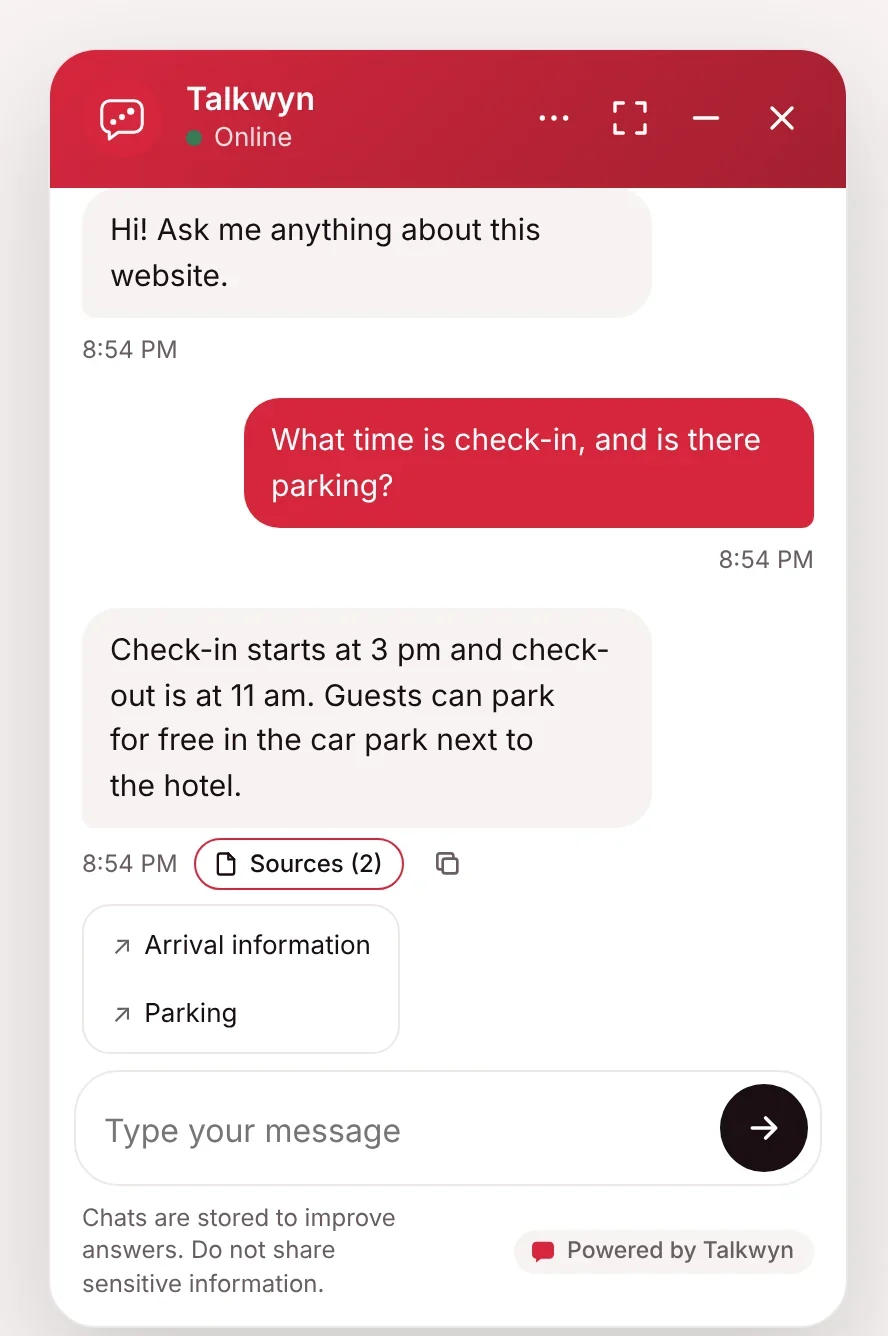
Typical questions: “What time is check-in?”, “Can I arrive late?”, “Is there parking?”, “How do I get there from the airport?”
- List check-in and check-out times, and what happens if a guest arrives early or late.
- Explain how late arrival works, such as a night porter, key box, or code.
- Describe parking: on site or nearby, cost, height limits, and whether you need to reserve it.
- Give directions from the airport, main train station, and highway, with travel options written as text.
- Mention luggage storage before check-in and after check-out.
During the stay: amenities and services
Typical questions: “Is the pool heated?”, “What time is breakfast?”, “Do you have a gym?”, “Is there Wi-Fi in the rooms?”
- List each amenity with opening hours and any cost.
- State breakfast times and where it is served, plus options for dietary needs.
- Describe the restaurant or bar, with hours and whether booking is needed.
- Explain laundry, room service, and housekeeping times if you offer them.
- Note anything that is seasonal or closed for maintenance, and update it when it changes.
Seasonal details are where answers often go wrong. If the pool closes in winter and your page still says it is open, the chatbot will repeat the page. Keep a short list of pages to review at each season change.
Special requests, pets, and accessibility
Typical questions: “Can I bring my dog?”, “Do you have accessible rooms?”, “Can you arrange an airport transfer?”, “Can you set up a cake for a birthday?”
- Publish your pet policy: which animals, any fee, and areas where pets are not allowed.
- Describe accessible rooms and public areas in specific terms, not just “accessible”.
- List services you can arrange, such as transfers or tours, and how to request them.
- Say how guests should send special requests and how far in advance.
Many of these turn into a request for your team. That is a good moment for a hand-off. Talkwyn detects intent such as “can I book?” or “call me”, asks whether the guest wants to share their details, and only then shows a short form inside the chat. The request is saved in WordPress and emailed to you right away. See the lead generation features for how that works.
Guests from other countries
Hotels often welcome guests who speak many languages, and many of them plan their trip in their own language. A hotel chatbot that replies in the guest’s language makes your site feel welcoming without translating every page.
Talkwyn detects the language of each message and replies in the same language, switching when the guest switches. Names, prices, and email addresses stay exactly as written. The site focuses on 12 popular languages, including Spanish, French, German, Arabic, Chinese, and Japanese, and quality depends on the AI model you choose. Read the multilingual website chatbot guide for how to prepare and test.
What your hotel chatbot should hand to the front desk
Some questions should always reach a person:
- Existing bookings. Changes, cancellations, or questions about a specific reservation need someone who can see it. Talkwyn does not read reservations or guest accounts.
- Group and event requests. Weddings, conferences, and large groups need a conversation and a quote.
- Complaints. A guest who is unhappy deserves a human reply.
- Anything not on your site. The chatbot will not guess. It says it does not know and offers to have your team follow up.
Make your contact page clear about how to reach the front desk, with a phone number, email, and the hours it is staffed.
A short preparation checklist
- Collect the twenty questions your front desk hears most.
- Check that each one has a clear answer on a published page.
- Add a FAQ page for anything that does not fit elsewhere.
- Remove or update old pages about past offers or closed facilities.
- Install Talkwyn, click “Scan my site”, and ask your list of questions.
- Fix the pages behind any weak answer, then test again.
Set it up on your hotel website
If your hotel website runs on WordPress, Talkwyn is live today as a WordPress chatbot plugin, and it reads Elementor content too. Install it from Plugins, Add New, Upload Plugin, paste a free AI key, click “Scan my site”, choose your color, avatar, and welcome message, and turn it on. It takes about five minutes with the getting started guide.
You can hide the chatbot on any page, such as a booking confirmation page. Chats and leads stay in your own database. The hotel chatbot page has more examples, and the pricing page lists the free plan and what Pro adds.
Hotel chatbot FAQ
Can a hotel chatbot check room availability?
Talkwyn answers from your published pages, which usually do not include live availability. Link guests to your booking engine for dates and rates.
Can it change or cancel a booking?
No. Talkwyn does not read reservations or guest accounts. It can collect the guest’s details so your team can help.
Will it answer guests in their own language?
Yes. It detects the language of each message and replies in the same language. Quality depends on the AI model you choose.
What if a policy is missing from my site?
The chatbot says it does not know and offers to have your team follow up. It never invents a price or a policy.
Does it work with my Elementor hotel site?
Yes. Talkwyn is a WordPress plugin and reads Elementor content along with your pages, posts, menus, and custom fields.
How do I try this on my own site?
Install the free plan, or start a 15-day Pro trial, and test it with the questions your customers really ask. Install Talkwyn.
How long does setup take?
About five minutes. Install Talkwyn, paste a free AI key, click Scan my site, pick your color, avatar and welcome message, and turn it on. The setup guide walks through each step.
Is there a free plan?
Yes. The free plan is free forever, not a time-limited demo. It includes the site scan, multilingual answers, lead capture, chat history and the free AI providers, with 50 AI chats a month and up to 20 pages in the knowledge. See every plan.
How does the free trial work?
You get every Pro feature for 15 days on one site. No credit card needed. When the trial ends, upgrade with the same key or keep the free plan. Start the trial.
What happens when the answer is not on my site?
Talkwyn says it could not find that and offers to have your team follow up. It answers business questions only from your own content, so it never invents a price or a policy.